Active Life Center
Active Life Center
Academic Project
Community Fitness Hub page design
- Type
- Academic Project
- Role
- Web Designer
- Service
- UI/UX Design / Web Development
- Year
- 2025
Project Overview
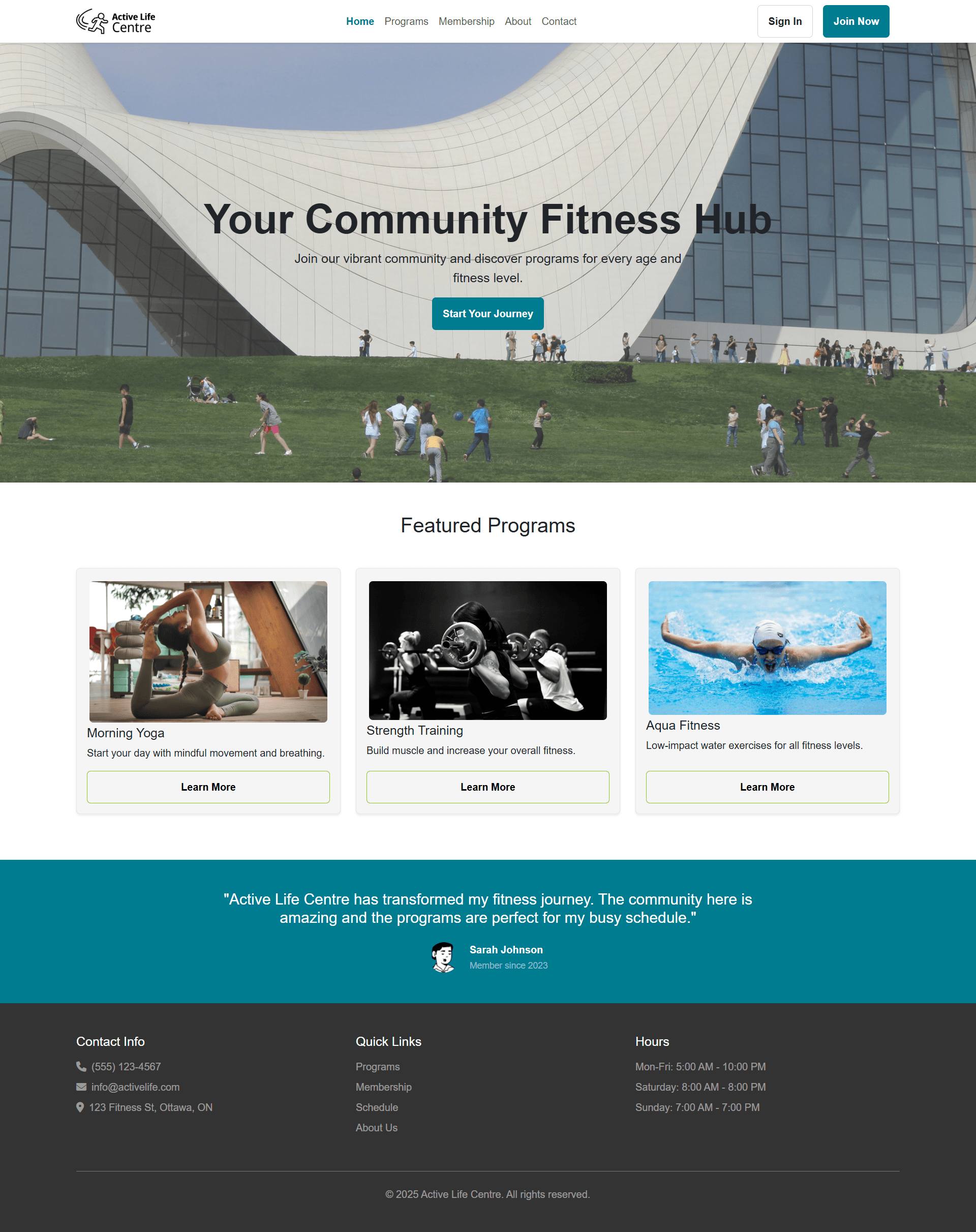
The Active Life Centre is a new community hub in Ottawa designed to serve people of all ages from toddlers to seniors with inclusive recreational programming. The centre features a pool, ice rink, steam rooms, gym, and fitness classes tailored for different skill levels. A key project goal is to design a welcoming and accessible website that reflects the community spirit of the centre and makes it easy for visitors to:
- Explore facilities
- View and register for programs (e.g., swim classes, fitness sessions, drop-in sports)
- Sign up for summer programming for children
- Find upcoming events and contact the centre easily
This project follows the Design Thinking process to deliver a website rooted in real user needs, backed by persona development and research insights. The end product will contribute to a professional UX case study that demonstrates web design skills and a user-centered approach.
Key features and benefits
- Facility discovery (Pool, ice rink, gym, steam rooms, classes): Clear facility pages help visitors quickly understand what’s available and what to bring (e.g., swim gear, skates), reducing confusion and phone calls.
- Programs hub with filters: Age/skill-level filters (toddlers, kids, teens, adults, seniors; beginner–advanced) make it faster for families and new users to find the right class.h
- Simple registration flow: A step-by-step “select program → choose time → register → confirmation” flow builds confidence for all users and reduces drop-offs.
- Family-friendly booking: “Add another child” / “Register household” enables multi-child registration in one checkout, addressing a major family pain point.
Technologies Used
- HTML5: Semantic structure for accessibility and SEO
- CSS3: Custom styling for branding, spacing, and responsive tweaks beyond the framework defaults
- JavaScript: Used for interactive behaviors (e.g., navigation, small UI interactions, form behavior depending on your implementation)
- Bootstrap: Responsive grid system and prebuilt components (navbars, cards, buttons, forms) to speed up development and keep UI consistent across screen sizes
- Figma: For design prototyping and collaboration
- Git + GitHub Pages: Version control and static hosting for deployment
Key Sections
- Hero section: Strong headline (community + inclusivity), short supporting line, and primary CTA buttons eg “View Programs” and “Register Now.”
- Quick-access tiles: Fast links to Pool, Ice Rink, Fitness Classes, and Membership/Drop-in.
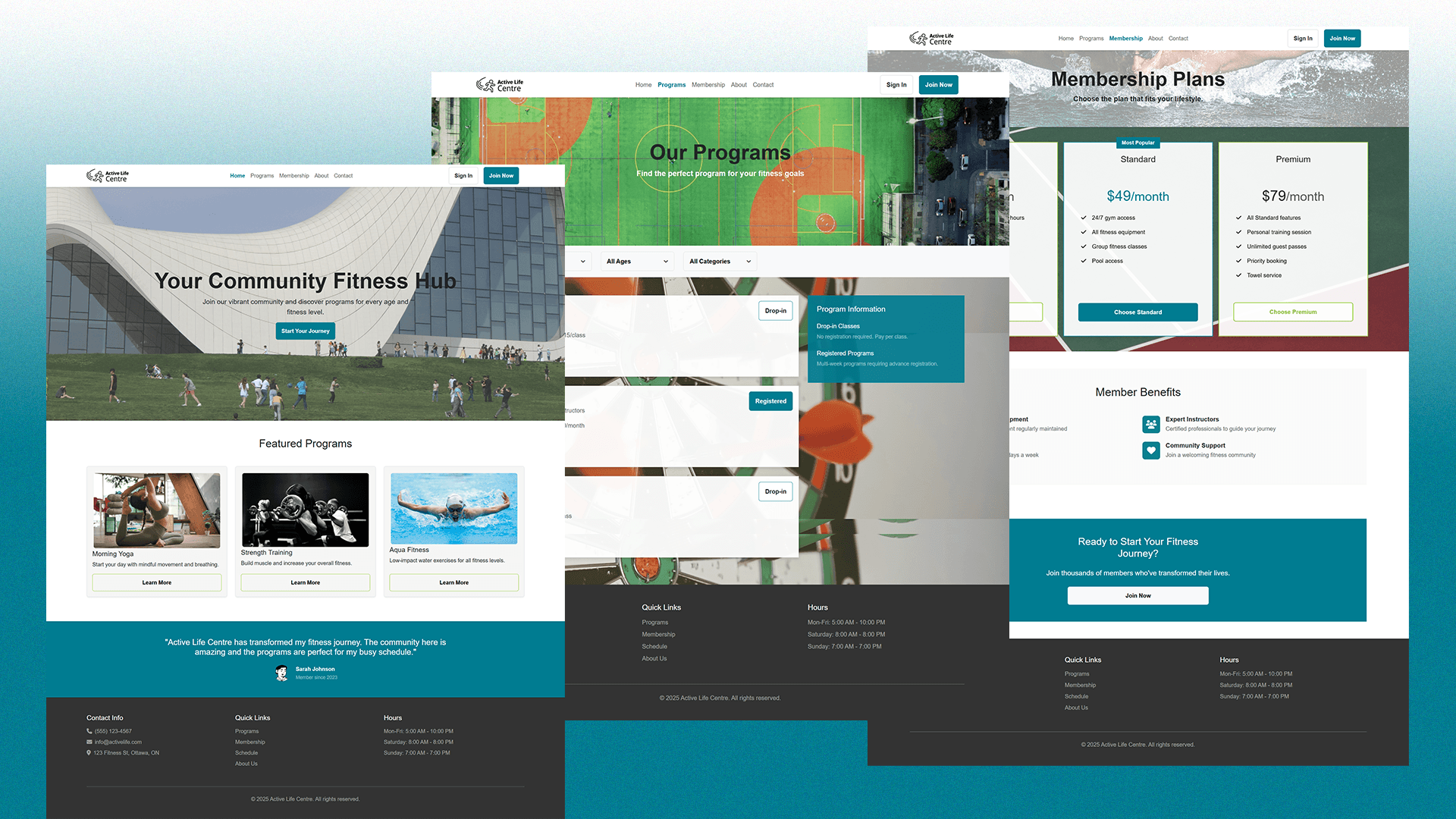
- Programs & registration: Search + filters (programs, age, categories), plus clear program cards with “Register” buttons.
- Testimonials or community quotes: Builds trust (especially for families and seniors) by showing positive experiences.
- FAQ + policies: Refund/cancellation, facility rules, accessibility accommodations, and membership details.
Design Process
- Empathize & research: Used your interview insights to identify what each group needs most (students want fast mobile scheduling, families need clearer kids programs and easier multi-child registration, seniors need readability and clear support options).
- Define: Turned those insights into problem statements and success criteria (e.g., “A parent should be able to find an age-appropriate program in under a minute” or “A senior should immediately see the phone number/help option”).
- Ideate: Brainstormed multiple layout and navigation approaches (Facilities vs Programs vs Schedule) and decide on a structure that reduces clutter and improves findability.
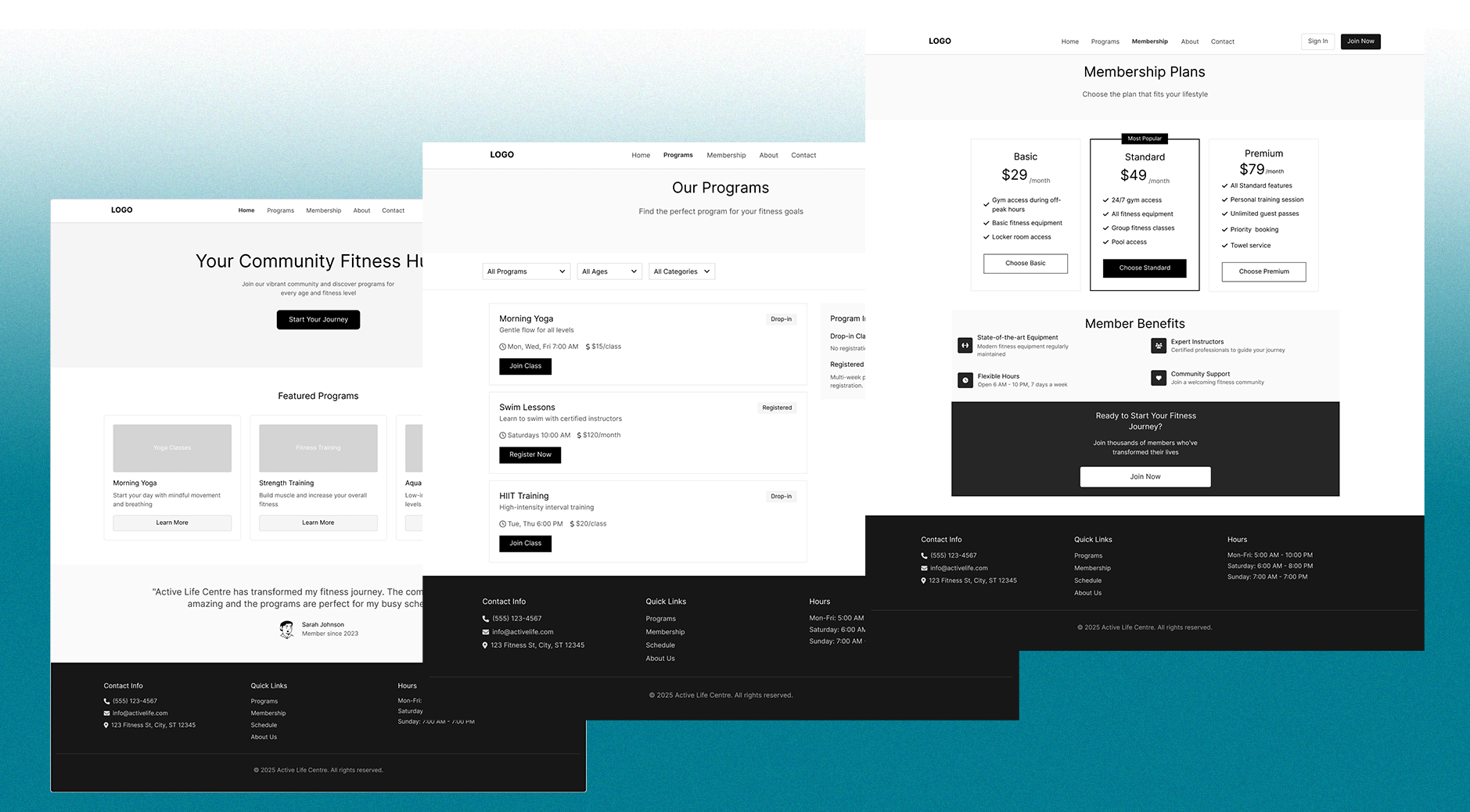
- UX wireframes in Figma: Designed low-fidelity wireframes (page layout, content hierarchy, user flows like “find a swim class → register”) and iterate quickly before coding.
- UI design in Figma: Designed higher-fidelity mockups (colors, typography, components) and keep screens consistent by using reusable styles/components.
- Prototype & test: Designed a clickable Figma prototype to validate key tasks and refine labels, spacing, and flow based on feedback.
- Development & build: Implement the approved design using HTML/CSS/Bootstrap, focusing on responsive layout, components, and accessibility checks.
- Iterate after build: Noted any final fixes from testing on real devices (spacing, readability, navigation, performance).
Challenges & Solutions
- Challenge: Confusing child program listings for parents.
Solution: Added age filters, “recommended for” labels, and a dedicated kids hub with simple categories. - Challenge: Users distrust schedules that aren’t updated.
Solution: Show “last updated” indicators, add cancellation alerts, and keep schedule views simple and fast on mobile. - Challenge: Mobile optimization for students on-the-go.
Solution: Mobile-first layout, sticky navigation for Programs/Schedule, and short registration steps with clear confirmations. - Challenge: Seniors struggle with small text and busy layouts.
Solution: Larger base font, strong contrast, generous spacing, fewer columns, and a prominent phone/help option on every key page.
Disclaimer: This website is an academic project created for MTM6260. Active Life Centre is a fictional concept created for learning and apply user research, UX/UI design (Figma), and front-end development to produce a portfolio-ready case study, All program schedules, registrations, and events shown are for demonstration purposes only.